Today, when you want to establish an e-commerce store for your business, numerous software solutions are available, even if you need a software team. One of the most popular e-commerce platforms today is Shopify. It is preferred by many well-known brands globally. Knowing some basic features of this infrastructure is beneficial for using Shopify correctly. Continuing our article, we will answer important questions such as “How to open a Shopify store?” and “How to receive payments through Shopify?”
Advantages of Using Shopify
With Shopify, you can sell your products with minimal effort, even if you are not an expert in software or a programming language. Let’s examine the advantages you will gain when you choose Shopify, one of the most widely used ready-made e-commerce infrastructures in the world:
- Shopify is a cloud-based infrastructure accessible from all internet browsers and devices. Additionally, you do not need to purchase additional hosting services or receive training to manage your servers for your e-commerce infrastructure.
- You can create your online store without any design or technical knowledge. You just need to prepare and upload your product photos and descriptions according to the instructions given.
- It integrates with many digital marketing tools, allowing you to personalize your products, run targeted marketing actions, and processes as you wish.
- Due to its widely used user base worldwide, many developers create extensions, software, interfaces, and themes specifically for Shopify users. You can easily benefit from these while improving your store.
- The platform is based on the “Liquid” language. Therefore, developers familiar with HTML, CSS, and JS can use your store infrastructure effectively.
- There is third-party software support to help you integrate some features you want to add to your system later.
- Shopify has a large community with nearly a million users worldwide. Moreover, many professionals specializing in Shopify store management can help you with any problems.
How to Open a Shopify Store?

As the Shopify website mentions, you can sign up for a free trial period before starting your subscription. This way, you can decide if the platform is suitable for you. You can also find answers to questions such as ‘How to use Shopify?’ and ‘How to set up Shopify’ in advance.
After the free trial period ends, you can activate your e-commerce store for your business by purchasing a plan suitable for your store. We can summarize the steps you need to follow to open a Shopify store as follows:
1. Sign Up for Shopify
Visit shopify.com and click the “Get Started” button to create your membership. Then, enter information such as name, address, country, and contact number in the relevant fields. You must also provide information about the products you will sell in your store and the type of products you aim to sell.
2. Set Up Your Shopify Store
After completing the registration process, you will be directed to the store panel. At this step, you can start customizing the appearance of your store.
Through this panel, you can add products to your store, manage orders, set shipping fees, install applications, and perform all the operations related to the management of your website.
3. Choose and Edit a Theme
When designing your store, you can use the themes available in the theme store. Theme types you can apply to your store are free and premium themes.
You can edit your chosen themes to design your online store according to your brand identity. While premium themes allow you more flexibility to make changes, you can create a unique e-commerce store for your brand using one of the free themes.
Moreover, you can get support from designers who design your store’s theme when you have any needs. You don’t need a single line of code when applying these themes provided by Shopify. Additionally, if you want to change any Shopify theme, you can access the HTML and CSS source and use the modifications.
You can edit your website’s HTML and CSS source from the “Edit HTML/CSS” menu in the Themes section. Some fundamental changes you can make in this area include:
- Adding a banner or slider image to the homepage of the store
- Displaying featured products in a separate section on product pages
- Determining the number of products to be listed in each row on the product page
- Uploading your brand logo
- Differentiating the theme color and font style.
4. Add Products
After selecting the “Products” option in the panel, the “Add product” button will appear. You can add detailed information about your products in this section. We recommend adding SEO-focused information such as product name, description, and URL in addition to the necessary information for your products to appear in front of your customers and to provide explanatory information about your products.
5. Publish Your Shopify Store

Up to this point, after following the steps to create your store, there are a few more tasks related to the payment processes you need to perform to publish your store.
Firstly, let’s remind you that when receiving payments in your online store, you should research Virtual POS and online payment methods and choose the most advantageous way. To enable your customers to make purchases with credit or debit cards from your store, you must make agreements with Virtual POS or payment service providers.
In the next section, we have provided information on what you need to know to receive payments through Shopify. You can explore the answers to questions such as how to accept payments through Shopify, the payment methods you can choose on Shopify, and more in the next section.
How to Receive Payments Through Shopify?
Planning payment processes is a sensitive issue for many businesses scaling their e-commerce operations globally. Significantly, as the payment volume passing through your store increases over time, transaction fees and commissions become a significant expense item for your business. Therefore, diversifying your payment partners and planning your payment process strategically will move your business one step forward.
In addition, you can gain a competitive advantage by using fintech solutions and payment orchestration platforms that facilitate the payment processes of your Shopify-based store. If you are curious about how to benefit from fintech solutions and what advantages you can gain, you can also check our article “What is Fintech.”
Let’s now examine the frequently asked questions about receiving payments through Shopify:
Payment Provider Options and Limitations in Shopify
Shopify Payments is Shopify's own payment gateway, available in supported countries. While it offers a quick setup, it may not always be the most cost-effective or flexible option for growing businesses.
Why look beyond Shopify Payments?
- Cost Optimization: You might have better commission rates with other local acquirers or banks.
- Risk Management: Relying on a single provider creates a single point of failure. If your account faces issues, your cash flow stops.
- Local Preferences: You may need specific local payment methods or integrations that are better supported by specialized payment orchestration platforms.
What is Shopify Payments?
Shopify Payments is the platform's native payment processing feature. While it allows for quick setup in supported countries, relying solely on a single provider can create "vendor lock-in."
If you want to work with specific local banks, negotiate better commission rates based on your volume, or manage complex payment flows (orchestration), you need an external provider. As explained in detail in the next section, you can agree with any bank and payment institution and manage them all through the Craftgate Payment Orchestration Platform.
How Craftgate Provides Financial Freedom for Your Shopify Store
Even if Shopify Payments is available in your region, sticking to a single provider limits your flexibility. As your transaction volume grows, payment commissions become a significant expense.
Craftgate’s Payment Orchestration Platform allows you to integrate multiple banks and payment institutions into your Shopify store through a single connection. This enables you to:
- Route payments in the background to the most advantageous processor (where applicable).
- Ensure redundancy so you never miss a sale due to a provider outage.
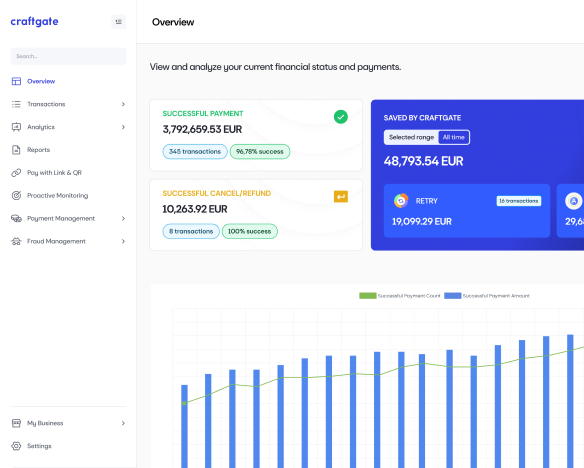
- Manage all your payment flows from a central panel, giving you full control over your financial operations.
How to Start Using the Craftgate Payment Orchestration Platform?
Firstly, it is essential to note that Craftgate is a Payment Orchestration Platform. It allows you to integrate bank Virtual POS and payment institutions into your system with one click via its gateway infrastructure.
To start using Craftgate on your Shopify store, you need to complete your membership process. Here are the steps:
- Contact Us: Visit craftgate.io and contact us to start your application.
- Submit Documents: Fill in the required information in the registration form and upload your business documents to our system.
- Approval: After approving the digital contract we send you, your Craftgate membership will be completed.
Once you have completed your Craftgate membership, you can integrate the Craftgate module into your store via the App Market and then easily include the payment providers you have an agreement with into your system with just one click.
How to Connect a Payment Orchestration Platform to a Shopify Store?
To integrate a comprehensive solution like Craftgate into your Shopify store, you don't need complex coding. You can easily find us in the Shopify ecosystem:
- Log in to your Shopify admin panel.
- Go to Settings > Payments.
- Click on the Add payment method button (or 'Search by provider').
- Search for 'Craftgate' in the search bar.
- Select Craftgate and follow the instructions to install the app/extension.
Shopify Brands Using the Craftgate Payment Orchestration Platform
We are pleased to mention that after starting to use Craftgate, our merchants using the Shopify infrastructure have gained the opportunity to receive payments through banks and payment institutions they could not work with before.
In addition, they increased their payment conversion rates and business revenues with our value-added services. You can review the opinions of our member businesses about Craftgate usage on our references page.

Conclusion
Although Shopify allows payment through limited methods natively, you can overcome this limitation using Craftgate’s Payment Orchestration Platform.
By integrating Craftgate into your Shopify store, you can open the doors to financial freedom and increase your business revenue with our value-added services.
To help businesses improve their e-commerce processes by transferring our experience and knowledge in the field of payment systems, we regularly publish content on the Craftgate Blog.